
RePPIT: A Framework to Ship Production Code 2-3X Faster

# RePPIT
# Platform Engineering
# Enterprise AI
How RePPIT turns AI coding from one-shot prompting into a structured process for researching, planning, implementing, and testing production features.
June 2, 2026
Mihail Eric
Most people who try to ship real code with AI hit a wall fast. They open a harness, type what they want, take whatever comes back, and ship it. The models keep improving, but there is still a ceiling with vanilla vibe coding, and you find it quickly on large codebases and legacy systems. One-shotting a feature there is like texting a contractor, "build me an office tower," and expecting move-in-ready floors. It might happen, but you probably won’t get the layout you wanted.
With the right methodology, though, 2-3X faster on generating production-quality code is realistic. In this post, I’ll share a framework called RePPIT that I’ve used to train hundreds of engineers at companies of all sizes from seed-stage startups to public enterprises on how to ship durable features in production codebases consistently.
The framework: RePPIT
Research the codebase, Propose solutions, Plan the chosen one, Implement it, Test it. RePPIT. Each step of the framework can be easily exposed in your coding agent harness of choice as a prompt, custom slash command, or skill.
None of these steps is new. However, by running the steps in sequence, we enable the coding agent to do development legwork while staying anchored to the real context the whole way.
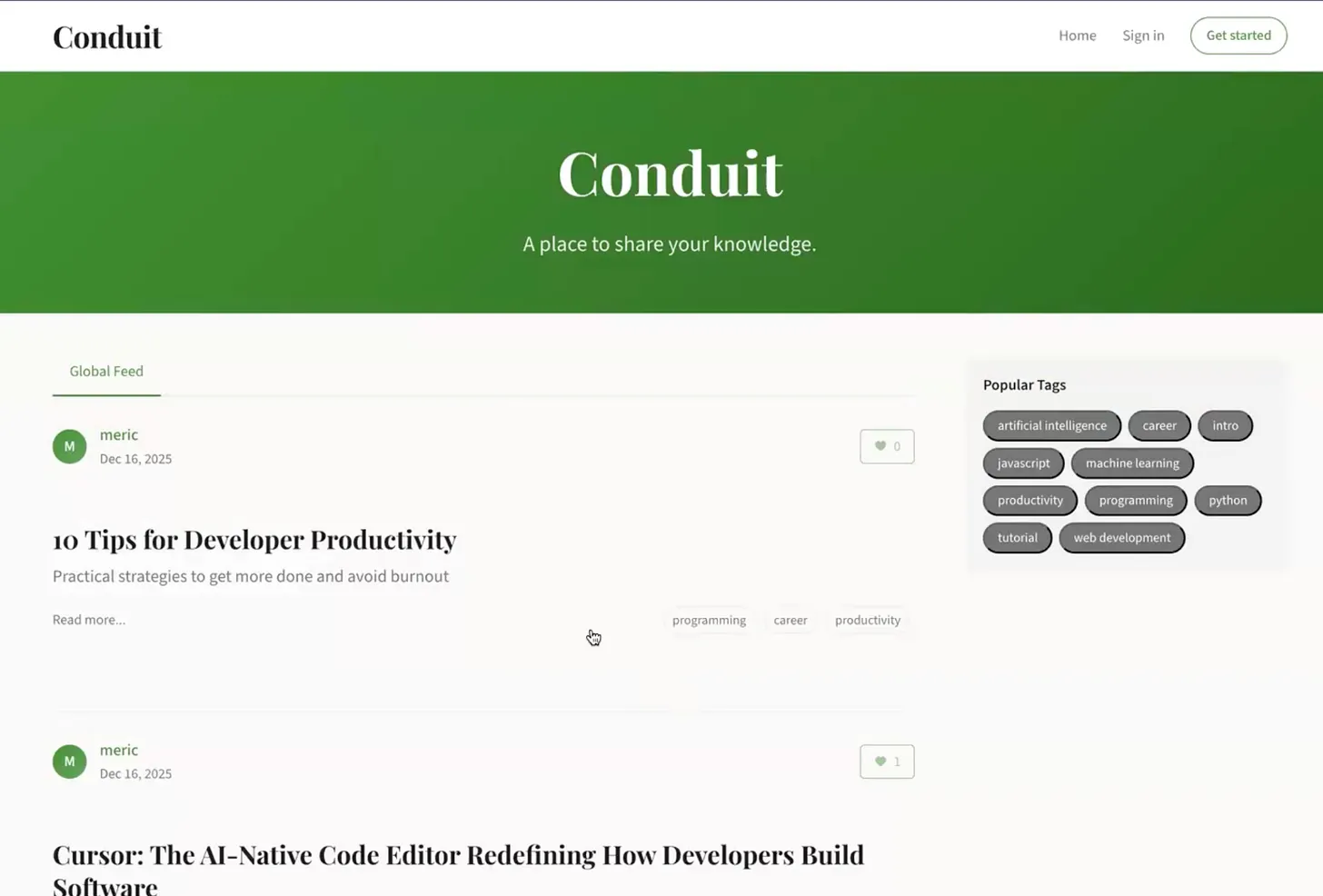
I will use Conduit, a vibe-coded Medium clone, to demonstrate the flow of the framework. The initial prototype has a global post feed, user auth, post categorization, and an editor to write new posts. What we want to add using RePPIT is an article search over the articles on the platform.
Step 1: Research the codebase
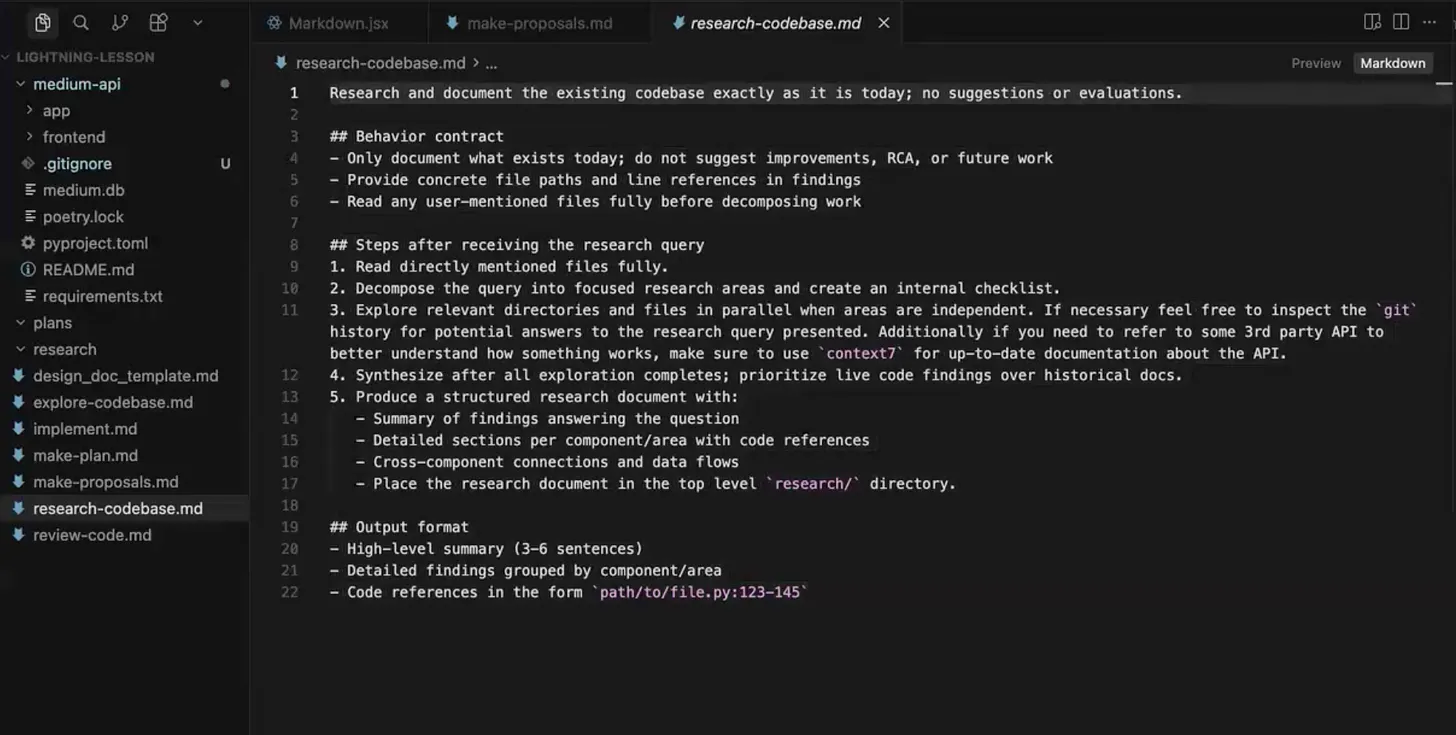
Before anyone talks about features, the model documents what is already there: design decisions, file layout, stack, dependencies, and how it fits together. No feature talk, no recommendations. The output artifact is a 100-300 line Markdown doc describing the codebase as it stands, the same way you would walk a new hire through it on day one.
Run the research step fresh every time when working on a new feature, and do not commit the output markdown. A live read beats a cached one, like a current map versus a printout from last year. Libraries also move fast, so an MCP server like Context7 can pull current docs for packages you depend on.
Then read it. This is your first human moment in the loop, and the cheapest place to fix a misunderstanding, because everything downstream is built on it. This step is descriptive, not prescriptive, so it is mostly a sanity check. The opinions start next.
Step 2: Propose solutions
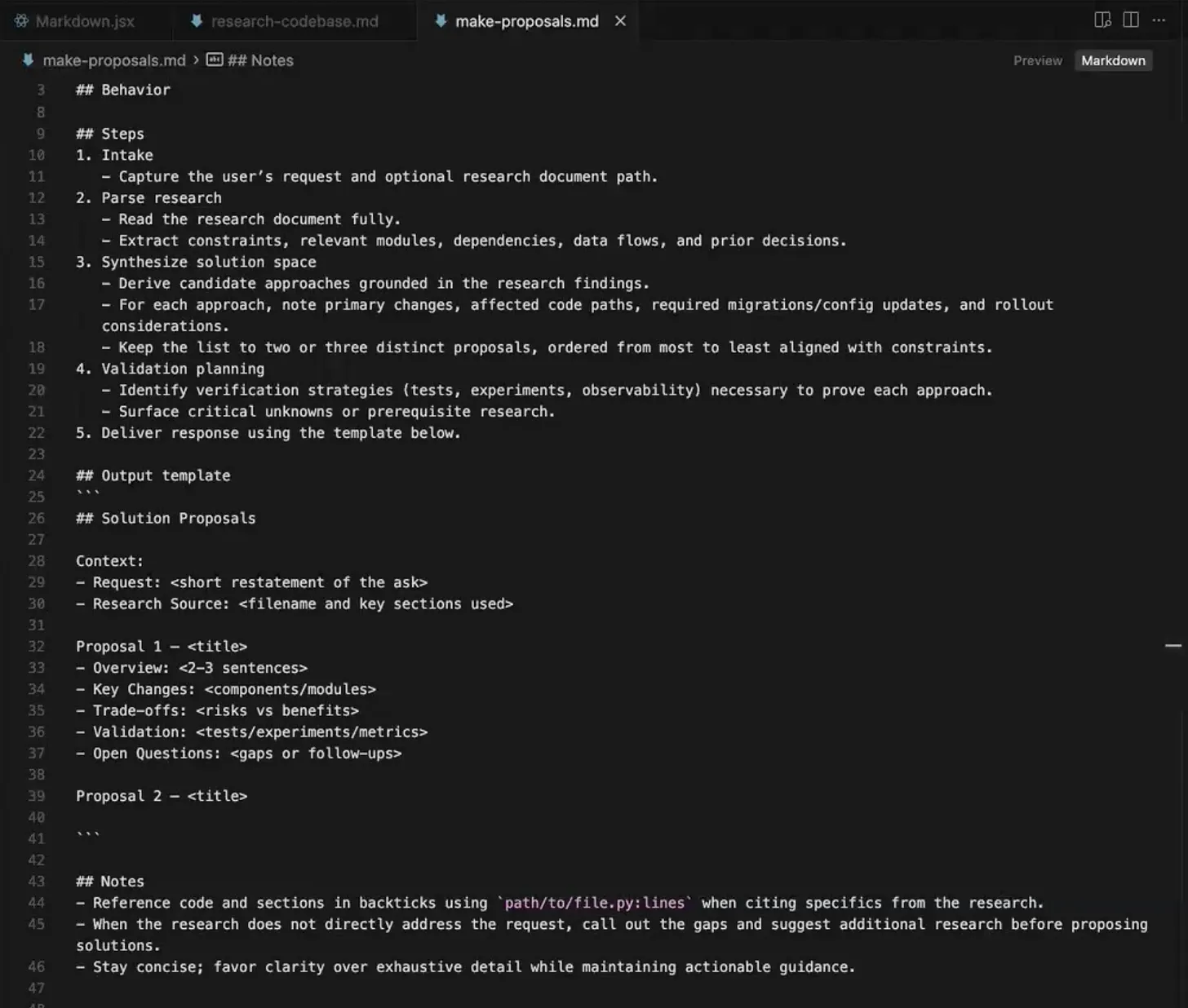
The proposal prompt takes the research doc plus your feature description and returns two distinct approaches. Two, specifically: ask for more, and the extras are just reskins of the first. Two forces genuinely different options, like two architects' sketches instead of one sketch and three tracings of it.
Each comes back in a fixed shape: overview, key changes, trade-offs, validation, open questions. For Conduit's search, the options were a database-agnostic SQL ILIKE search with no migrations, and a Postgres TSVECTOR full-text search with an Alembic migration.
This is the first prescriptive step, so put on the tech lead hat. Push the model deeper, challenge a call, or reject both and ask for a third (which usually comes out sharper, since it has already reasoned through the alternatives). You can also mix the data model from one with the API from the other. Just commit to a direction by the end of this step.
Step 3: Plan the chosen solution
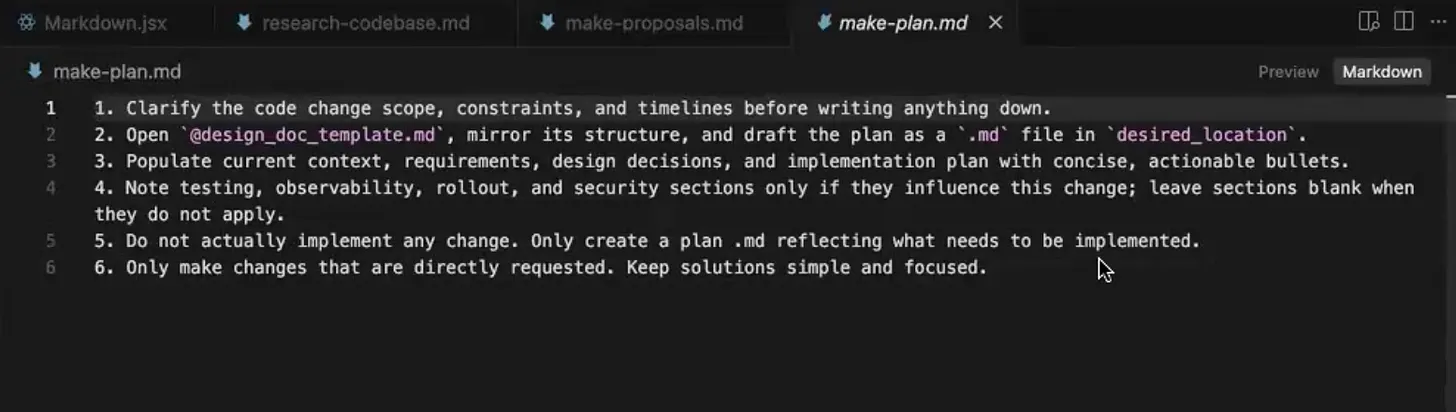
A light prompt fills in a design doc template, which does the real work: functional and non-functional requirements, the major decisions with rationale, data models, code snippets, integration points, and an explicit list of files touched and not touched. Pay attention to the out-of-scope list, the things you are deliberately leaving for later. It is the grocery list that stops the impulse buys.
Keep this doc and share it before any code exists. Reviewing a plan in plain language beats reviewing six hundred lines of a PR, the way reviewing a blueprint beats inspecting the finished building. One tip: clear the context before running it, so back-and-forth proposal discussion from Step 2 does not context-pollute.
Step 4: Implement the plan
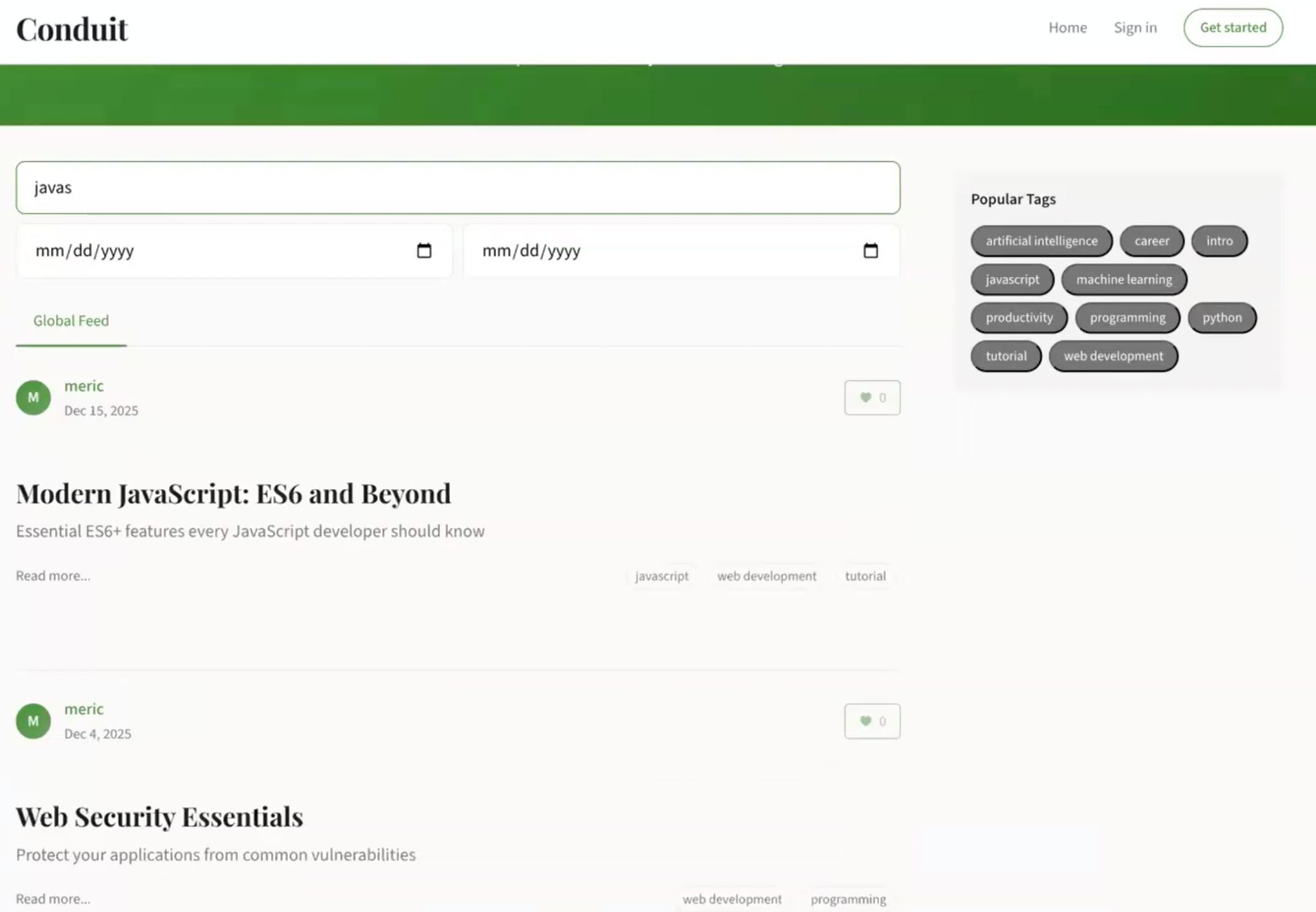
Now the model has everything, so the implementation prompt has almost no room to guess. For Conduit, it produced a SQLite search across both title and body. Searching "cursor" returned one article with it in the title and one with
cursor.execute deep in the body, confirming both fields were covered.TDD works fine, too. RePPIT is not about the order of the last two steps; it is about doing the research, proposals, and plan before any implementation code gets written.
Step 5: Test what got built
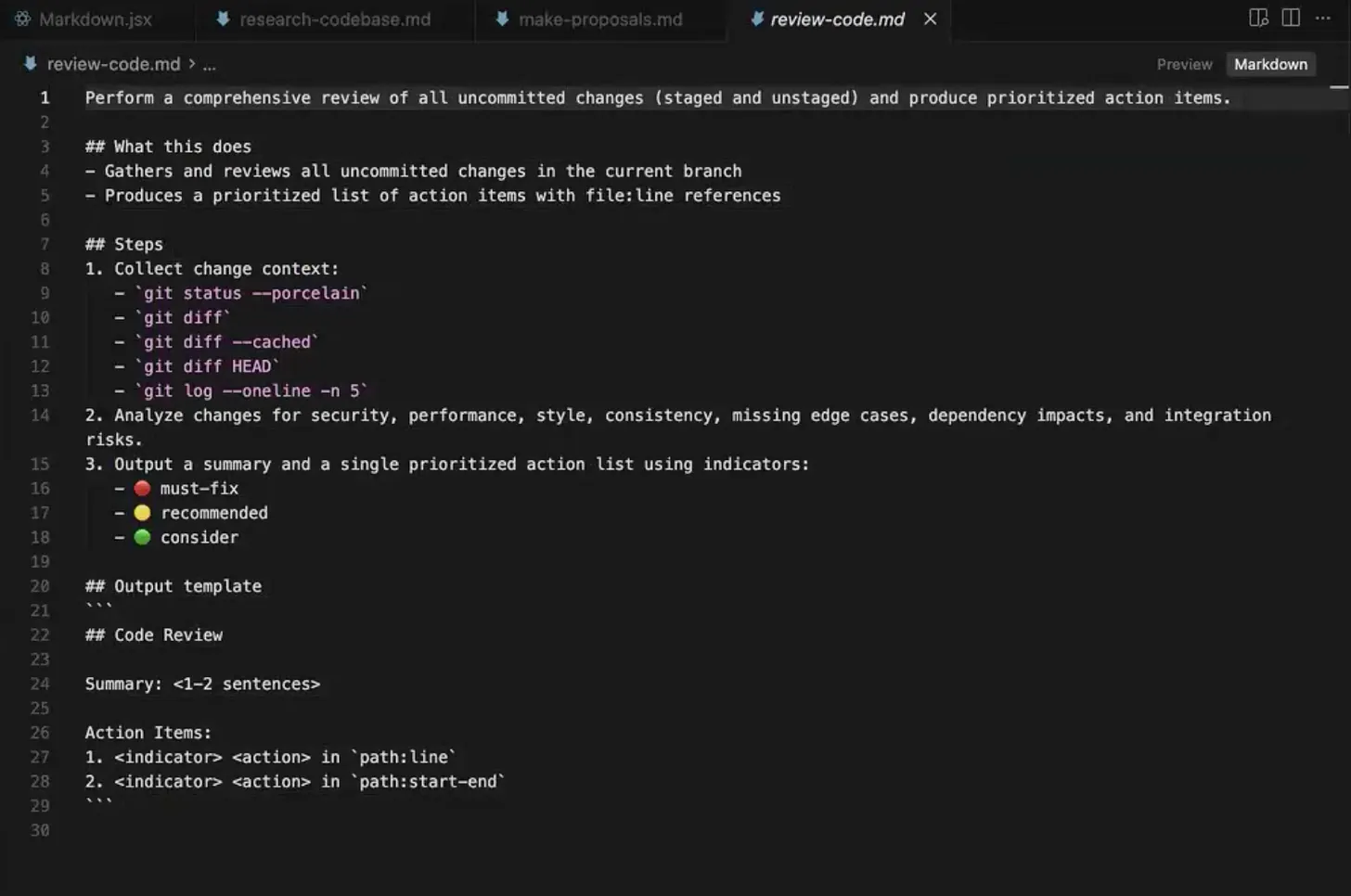
Testing closes the loop, and can mean code review, integration, unit, or QA tests. The Conduit demo uses automated review: the model sorts findings into must-fix, should-fix, and nice-to-have.
The one rule: do not let the instance that wrote the code review it. It will defend its own choices if it is biased toward an initial implementation, like proofreading your own writing and reading what you meant to type. Either switch to a different model family or clear the context fully, so the reviewer builds their own understanding. The same caution applies to a harness's built-in review mode.
Make RePPIT yours
Treat the steps in RePPIT as milestones, in whatever order fits. Want tests first? It holds. Need a security review for healthcare data? Add a step. What matters is the principle underneath: be deliberate at every stage. Understand the code before deciding, weigh trade-offs before committing, spec before building, and review with a model other than the one that wrote it.
With this framework in place, shipping 2-3x more production code with AI becomes something you can do consistently.
Additional Resources
The Modern Software Developer - Strategies on effective AI software development shipped to your inbox. Taught at Stanford and trusted by 32K developers globally.
The Build System - 1 hour-long code builds with the top AI software developers showcasing real workflows from the wild.
Popular
Dive in
Related
Video
The 7 Lines of Code You Need to Run Faster Real-time Inference
By Adrian Boguszewski • Mar 10th, 2023 • Views 750
Blog
Vector Similarity Search: From Basics to Production
By Samuel Partee • Aug 11th, 2022 • Views 310
Video
The 7 Lines of Code You Need to Run Faster Real-time Inference
By Adrian Boguszewski • Mar 10th, 2023 • Views 750
Blog
Vector Similarity Search: From Basics to Production
By Samuel Partee • Aug 11th, 2022 • Views 310