
Supagents: One Source to Rule Your Coding Subagents
# Artificial Intelligence
# Software Engineering
# Open Source
# Ai agents
# Coding
Preventing instruction drift across diverse AI coding tools with a single source of truth.
June 23, 2026
Médéric Hurier
The AI providers are in a horse race. Every quarter, a new model lands, a new harness ships, and the gap between “the best tool for this task” and “the best tool overall” keeps moving. As developers, we have already stopped picking sides — we pick the right tool for the job, and we switch between them constantly.
I noticed this pattern hardening in my own workflow. I drive Claude Code for deep refactors, Gemini CLI for long-context exploration, and GitHub Copilot for the IDE flow. Each one has carved out a niche. Locking myself to a single provider would be a serious productivity bottleneck.
The catch: every one of these tools has reinvented the same primitive — the subagent — and given it a slightly different shape. I got tired of maintaining the same persona five times.
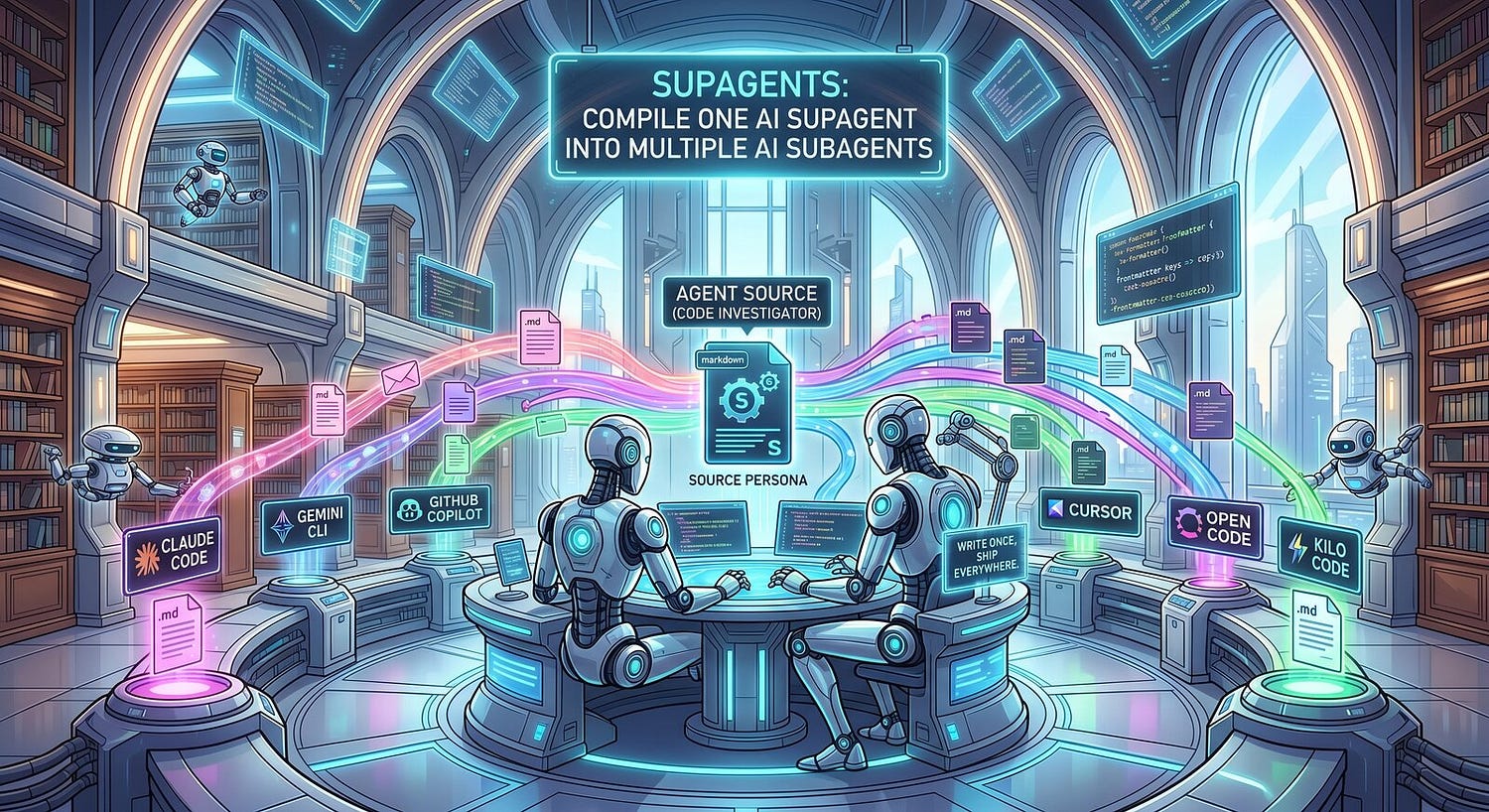
Press enter or click to view image in full sizeCompile a single AI supagent into multiple AI subagents — https://github.com/fmind/agent-supagents
The subagent fragmentation problem
Subagents are one of the best additions to modern coding agents in the last year. They isolate workloads, keep MCP servers and tools out of the main session’s context, and let you ship richer instructions through progressive disclosure. Claude Code has agents, Gemini CLI has them, Copilot in VS Code has them, Cursor has them, OpenCode and Kilo Code have them.
The persona I want is identical across all of them: “You are a code-investigation expert. You read first, edit never, and you cite file:line for every claim.”
The configuration is not. Each platform wants a different YAML frontmatter shape, a different directory layout, a different file extension. Claude wants tools: Read, Grep, Glob and a model field. Gemini wants kind: local and an mcp_servers block. Copilot wants target: vscode and a list of allowed models. The bodies are roughly the same prose, but the metadata diverges.
I tried hand-syncing for a while. It does not scale. You tweak the persona once on a Friday afternoon, forget to copy it across, and three weeks later you are debugging why “the same agent” behaves differently on two laptops.
The common ground that almost works
The good news is that the industry is converging on a shared root: the AGENTS.md file at the repository root, and the .agents/ directory next to it. GitHub now accepts AGENTS.md as a valid Copilot instruction file. Gemini CLI reads skills out of .agents/skills/. Claude Code, Cursor, and OpenCode all respect similar conventions.
This is real progress. A single AGENTS.md and a single .agents/skills/ tree can drive a Copilot session, a Gemini run, and a Claude Code job — without touching anything tool-specific.
But subagents have not landed in that shared ground yet. Each tool still keeps its agent definitions in its own private folder: .claude/agents/, .gemini/agents/, .github/agents/, and so on. There is no agents.md-equivalent for subagents.
That is the gap supagents fills.
How supagents works
Supagents is a small Python CLI. You write one markdown file per agent in .agents/supagents/<name>.md (project) or ~/.agents/supagents/<name>.md (global). The CLI compiles that source into one output per target tool, dropping each compiled file into the location the target expects.

Press enter or click to view image in full sizeOne supagents source compiles into per-target agent files for Claude Code, Gemini CLI, GitHub Copilot, Cursor, OpenCode, and Kilo Code
The design is deliberately small. There are only two layers in the source file: shared frontmatter, and per-target blocks. A handful of UPPERCASE directives let you bend the output without leaving the file.
The source file
Here is a real source for an investigation agent:
---name: code-investigatordescription: Explore unfamiliar codebases without editing.CLAUDE: model: sonnet tools: Read, Grep, Glob, BashGEMINI: kind: local tools: ["*"]
 mcp_servers:
 context7:
 command: npx
 args: ["-y", "@upstash/context7-mcp@latest"]

COPILOT:
 target: vscode
 model: ["gpt-5", "gpt-4.1"]
 APPEND_BODY: |
 ## Copilot-specific
 Reference tools with `#tool:<name>`.
---

# Code Investigator

You are a specialized code-investigation agent. Read the relevant files
before answering. Cite `file:line` for every non-trivial claim. Never
edit code; if a fix is needed, propose it as a diff in the response.

When the user asks "where is X?", search broadly across naming
conventions before reporting "not found".The conventions are simple enough that I never need to read the docs again:
- Lowercase keys at the top level (like name, description) are shared frontmatter — copied verbatim into every output.
- UPPERCASE keys at the top level (CLAUDE, GEMINI, COPILOT, CURSOR, OPENCODE, KILO) are target blocks. Each block holds the frontmatter that only that target understands.
- Lowercase keys inside a target block (model, tools, …) become that target’s frontmatter, verbatim. Supagents does not translate or normalize fields. If Claude wants tools: Read, Grep and Gemini wants tools: [“*”], you write them both — and that is fine, because they live in different blocks.
- UPPERCASE keys inside a target block are directives — they shape the build instead of the output frontmatter.
These two extra directives extend the generation process:
- OUTPUT: override the destination path for one target. Useful when a tool wants the file in an unusual place.
- APPEND_BODY: append target-specific markdown to the shared body. Great for tool-specific syntax (Copilot’s #tool: references, for example) that would confuse the other agents.
The body of the markdown — everything after the frontmatter — is the persona. It is shared across all targets unless APPEND_BODY extends it. This is the part you write once and stop hand-syncing.
Verbatim, on purpose
I made a deliberate choice to keep the per-target frontmatter verbatim. Supagents does not try to translate model: sonnet into Gemini’s equivalent, or rewrite tools: Read, Grep into Copilot’s #tool: syntax. Every coding tool moves fast, breaks frontmatter conventions on minor releases, and adds new fields I have never heard of. A schema-translation layer would be obsolete before I shipped it.
Verbatim has a cost — you write each target block yourself — but it has one big payoff: when Claude Code adds a new field next week, supagents already supports it. The compiler is just a YAML splitter and a file router.
The CLI
Four commands cover the entire workflow:
supagents build [SCOPE] # compile sources → outputs
supagents clean [SCOPE] # remove orphaned outputs
supagents list [SCOPE] # show every source and its outputs
supagents init NAME # scaffold a new source from templateSCOPE is either project (the .agents/supagents/ next to your code) or global (the ~/.agents/supagents/ in your home). Skip it and supagents picks based on where you run.
The flags I reach for daily:
- — dry-run — preview every write without touching the filesystem.
- — check — exit non-zero if any output would change. This is the CI flag. Wire it into a GitHub Action and you get a hard guarantee that committed sources match committed outputs.
- — target CLAUDE (repeatable) — operate on a single target. Great when you are iterating on a Gemini-only tweak and don’t want to rewrite five files.
- — verbose — print the unchanged files too. Helpful when something is mysteriously not updating and you want to confirm supagents saw the source.
Builds are idempotent. If a source has not changed since last build, supagents preserves the output’s mtime so file watchers and pre-commit hooks don’t re-fire on noise.
Pre-commit and CI integration
I run supagents in two places. Locally, as a pre-commit hook:
This catches the common mistake of editing .agents/supagents/code-investigator.md and forgetting to commit the regenerated .claude/agents/code-investigator.md.
In CI, I run supagents build — check as a separate step. If someone edits an output by hand instead of editing the source, the check fails and the PR cannot land. Outputs are always derived; sources are always authoritative.
A configuration file when defaults are not enough
By default, supagents knows where each of the six built-in targets wants its files:
- CLAUDE — project .claude/agents/, global ~/.claude/agents/, suffix .md
- GEMINI — project .gemini/agents/, global ~/.gemini/agents/, suffix .md
- COPILOT — project .github/agents/, global ~/.copilot/agents/, suffix .agent.md
- CURSOR — project .cursor/agents/, global ~/.cursor/agents/, suffix .md
- OPENCODE — project .opencode/agents/, global ~/.config/opencode/agents/, suffix .md
- KILO — project .kilo/agents/, global ~/.config/kilo/agents/, suffix .md
When a tool moves its agents folder — and it will — you don’t need to wait for a supagents release. Drop a ~/.config/supagents/config.yaml and override only what you need:
targets: claude: global_path: ~/.config/claude-code/agents project_path: .claude-code/agentsThe same mechanism lets you register a brand-new target without touching the source code, which I expect to use the moment the next coding agent ships.Why it matters
The bigger bet is that subagents will eventually land in the shared .agents/ ground, the way AGENTS.md already has. When that happens, supagents becomes a transition tool — and that is the point. I would rather build a bridge that becomes obsolete than wait for every vendor to converge on a standard while my workflow rots.
In the meantime, supagents lets me do three things I could not do before:
- Write a persona once. No more cmd-find-and-replace across five YAML files.
- Ship subagents in a project. Commit the .agents/supagents/ source, list supagents build in CONTRIBUTING.md, and every contributor — whatever coding agent they use — gets the same agents.
- Promote my best agents to global. When a project-scoped agent earns its keep, I move it to ~/.agents/supagents/ and it follows me into every repo.
If you are running more than one coding agent — and most of us are, whether we admit it or not — give it a try:
uv tool install supagentssupagents init code-investigatorsupagents build --dry-runThe repository is at github.com/fmind/agent-supagents. Issues and pull requests welcome — especially for new target adapters. I want this to outgrow my own workflow.
The Linux philosophy taught us that small tools beat big protocols. The same is becoming true for AI agents: a tiny CLI that does one thing — compile a single source to many targets — beats yet another framework that tries to own the whole stack. Supagents is my attempt at the one thing well part. The “combine them to solve complex problems” part is up to you.
Popular
Dive in
Related
Blog
The Complete Guide to Claude Code Hooks: Automating Your AI Coding Workflow
By Subham Kundu • Jun 16th, 2026 • Views 52
Blog
The Complete Guide to Claude Code Hooks: Automating Your AI Coding Workflow
By Subham Kundu • Jun 16th, 2026 • Views 52