

AGENTS.md speaks UNIX, and you should too
# Agents
# Coding
# Project
Pairing Unix tools with AGENTS.md to give AI coding agents a predictable, checked working environment.
September 29, 2026
Médéric Hurier
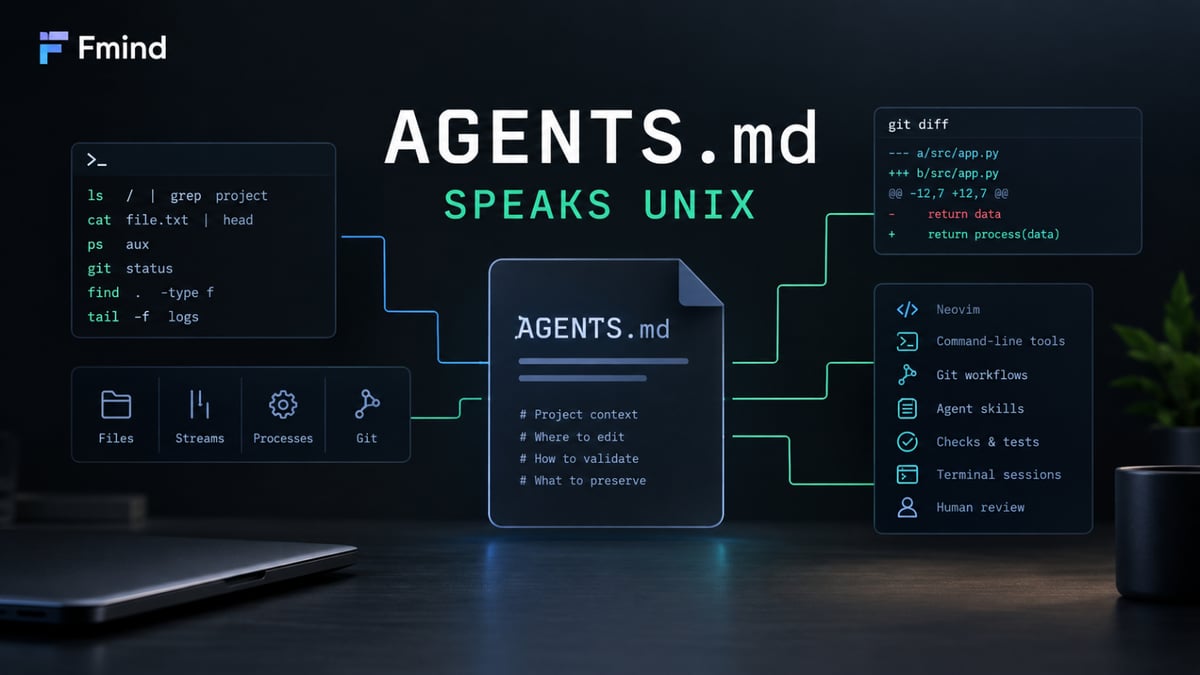
Unix gives coding agents the tools. AGENTS.md explains where to edit, how to check, and what to preserve. Lessons from my dotfiles and human review.
In 2009, during a university course, I was struggling to configure an Apache 2 web server. Our teacher, an experienced sysadmin from Peugeot, came to my desk and solved the problem in a few minutes, using Linux tools and Vim.
“How did you do that?” I asked.
He told me I should start using the command line. It is vital to become productive as a programmer.
I went home, installed a Linux distribution, and worked through several sessions of Linux tutorials and
vimtutor . It was one of the best investments of my career. Also a bit of a curse: there was always another tool to try, another setting to refine.From there, I kept exploring: Spacemacs, REPLs, dozens of CLI tools. I followed GitHub Trending like a madman, looking for the next thing that would make me more productive. As I learned to use and combine these tools, I built a working environment around them. The next step was to keep that setup reproducible, so I could carry it from one machine to the next.
That became my (legacy) Ansible-based dotfiles . Dotfiles are the configuration files behind your shell, editor, and other tools, often stored in hidden files or directories, such as Fish’s
~/.config/fish/config.fish . Collected in a repository with setup scripts, they become a recipe for rebuilding your working environment.I spent hours refining those dotfiles, but I could set up a new system in minutes and adapt the configuration to the machine in front of me. The tools and settings I had refined were ready to use wherever I worked. This was years before today’s coding agents: I was building that environment for myself, with human use at the center.
My dotfiles acquired new users, and new contributors
For years, the users of that environment were me and the scripts I wrote. Every improvement depended on how much time I could put into finding a tool, learning it, and configuring it. Coding agents changed that relationship: they can help do the work of improving the environment, then use the result themselves.
I let my agents recommend better and faster tools for themselves and for me. They have introduced me to tools I had never heard of. They can also inspect configuration, propose changes, run checks, and work through failures. Creating useful dotfiles becomes easier when you can ask for help with the parts you do not yet understand.
The benefit goes both ways. A repeatable setup saves me work; it also gives an agent a predictable place to operate. A useful validation command lets me check a change; it also lets the agent catch a mistake before handing that change back. Instructions written once can explain the workflow to the next agent.
Agents help improve the dotfiles, and better dotfiles help both of us work more productively. My years on the command line gave us a starting point.
Unix gives us a common language
Imagine asking an agent to change a Neovim setting. The configuration is text in a file. The agent can find it, read it, edit it, and show me the diff using ordinary tools. Git records the change, and another program can check it. The same interfaces I learned to use are available to the agent.
That is the useful part of “everything is a file”: much of a Unix environment is accessible through files, streams, and processes. Within its permissions, an agent can inspect configuration, start a test, read its diagnostics and exit status, or stop a server. It has concrete results to work with.
Those tools also compose. One finds things, another filters them, another validates the result. For example, from a Git repository:
This is tool composition. Git supplies tracked paths; Ripgrep selects the agent instruction files. Two existing programs cooperate without a custom integration. More involved workflows can become small Python programs, with explicit inputs and recovery logic, instead of ever longer shell one-liners.
This is why the quality of a command matters to both of us. Useful errors, meaningful exit codes, structured output where appropriate, and predictable non-interactive behavior make a tool easier to use and combine. A command hanging on an invisible prompt leaves the agent stuck just as surely as it would leave a script stuck. My CLI development guidance records those expectations.
Agent platforms can add scheduling, isolation, and remote coordination. For work on a local codebase, though, Unix already provides an extraordinary amount of flexibility. Improving one command can benefit every workflow that uses it.
But access to a file does not tell an agent whether it is the right file to change.
AGENTS.md explains how this environment works
My current dotfiles live in fmind/dot , where I now use chezmoi to manage configuration files and templates, and mise to manage tools, environments, and tasks. They are better suited to how I manage the setup today, but they introduce a distinction an agent needs to understand: the installed configuration and its managed source are different files.
Return to that Neovim setting. Editing the installed copy might work immediately, then disappear the next time chezmoi applies the source. My project instructions tell agents where the durable edit belongs, how to validate it, and which existing work to preserve. Unix provides access to both files.
AGENTS.md explains which one to change.For that task, a short instruction block could look like this:
The commands alone cannot tell the agent which copy I maintain or whether I asked it to deploy. Those are decisions the instructions make explicit.
AGENTS.md is an open Markdown format for project context and instructions, stewarded by the Agentic AI Foundation. It fits naturally here: ordinary text beside the code, pointing toward ordinary tools, reviewable in the same diff. It does not require Unix, and each agent host has its own loading behavior. “Speaks Unix” describes that fit.
The repository keeps the environment, its tooling, and its working knowledge together: application settings in
dot_config/ , shared personal instructions in dot_agents/AGENTS.md , reusable procedures in skills/ , and the companion Python CLI in dot/ . The repository layout covers the rest.Keeping every procedure in
AGENTS.md would make it a manual for the entire machine. Agent Skills provide a separate, complementary format: a directory with a SKILL.md entrypoint and supporting references or scripts. My skills catalog explains how to use tools, start and maintain projects, and work with my preferred stacks.For the Neovim change, the project instructions establish where to work and what to preserve; the relevant skill supplies the procedure. An agent building a CLI can instead load the guidance about streams and exit codes. Specialist knowledge stays available without putting every manual into every conversation. Whether a host actually discovers and follows it still needs checking through real tasks.
These screenshots were captured in temporary Zellij sessions running real applications against copies of the source files. Here, my shared instructions are open in Neovim beside Antigravity’s CLI.
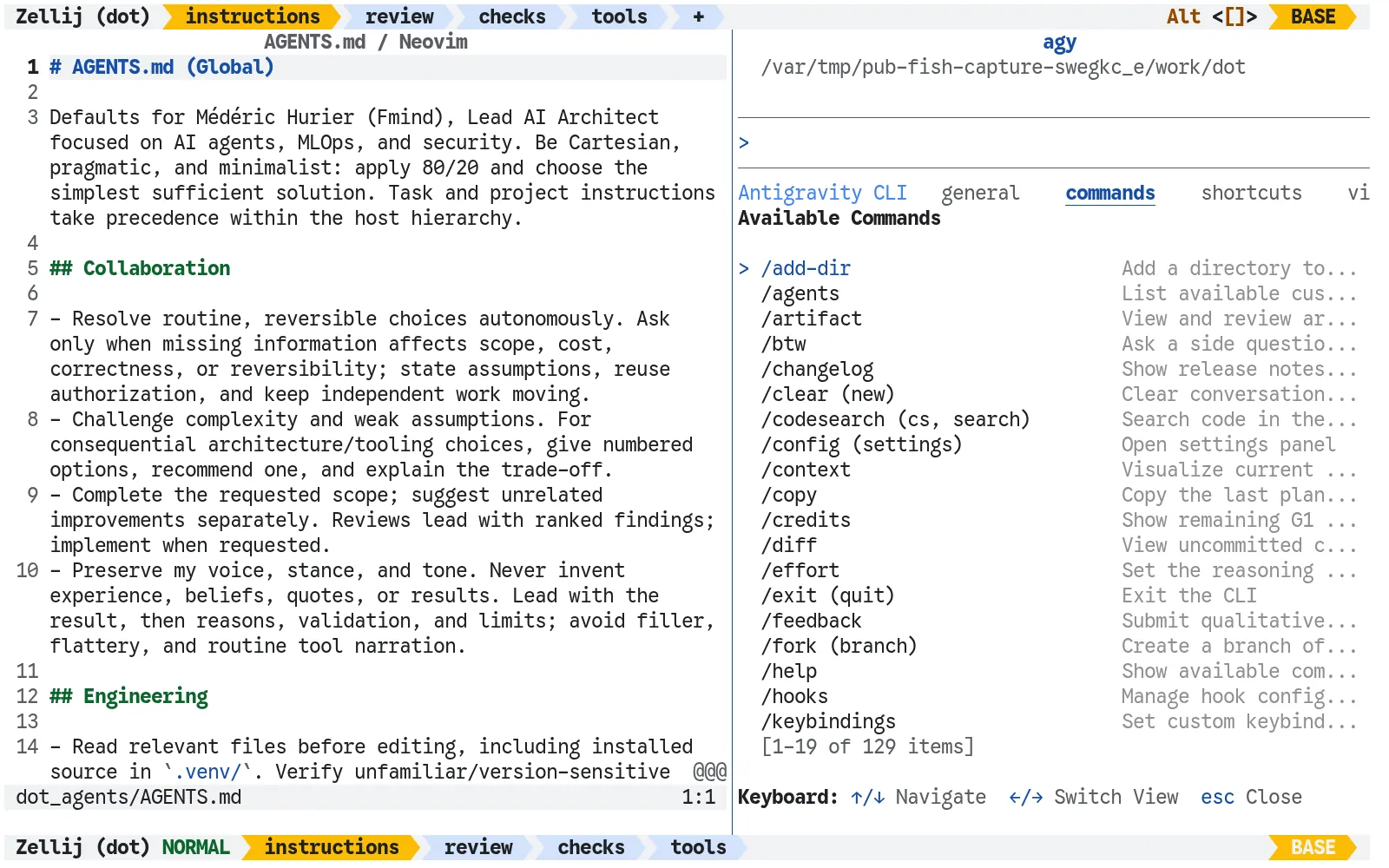
Now an improvement can include both the configuration and the explanation of how to use it. Both stay in Git, where I can review them and future agents can find them. That gives the next task a better starting point.
Better tools need useful checks
An instruction to check the work needs a useful command behind it. Zizmor audits my GitHub Actions workflows, and Lefthook runs configured checks around commits and pushes. Their diagnostics give the agent something to fix and me something to review. Git-cliff handles release notes.
The checks must actually run. Cosign is installed in my setup , but automatic signature and provenance verification for tool installation is disabled. A tool on the machine is not a protection in effect.
To support the repository and automate workstation operations, I built a dedicated Python CLI called
dot . Built with Typer and Pydantic, it turns system maintenance and agent coordination into predictable, typed commands. The dot doctor subcommand checks local health and tool parity, while dot agent context verifies that instruction files and skill catalogs remain within strict token budgets. Other subcommands manage folder trust across harnesses ( dot trust ), inject scoped credentials without global exports ( dot secret ), and aggregate token usage across agent sessions ( dot agent stats ). When agents and humans share an environment, a robust CLI provides the reliable contracts they both need.With agents helping maintain that foundation, I can delegate more work across projects. The next challenge is keeping track of it.
One session per project, one tab per task, one pane per program
My day-to-day workspace is the terminal: Ghostty hosts it, Fish provides the shell, and Zellij organizes concurrent work. One session holds a project, tabs separate its tasks, and panes split each task between running programs.
My
Alt+/ shortcut opens Zellij’s session manager over the current task, putting the other projects within reach.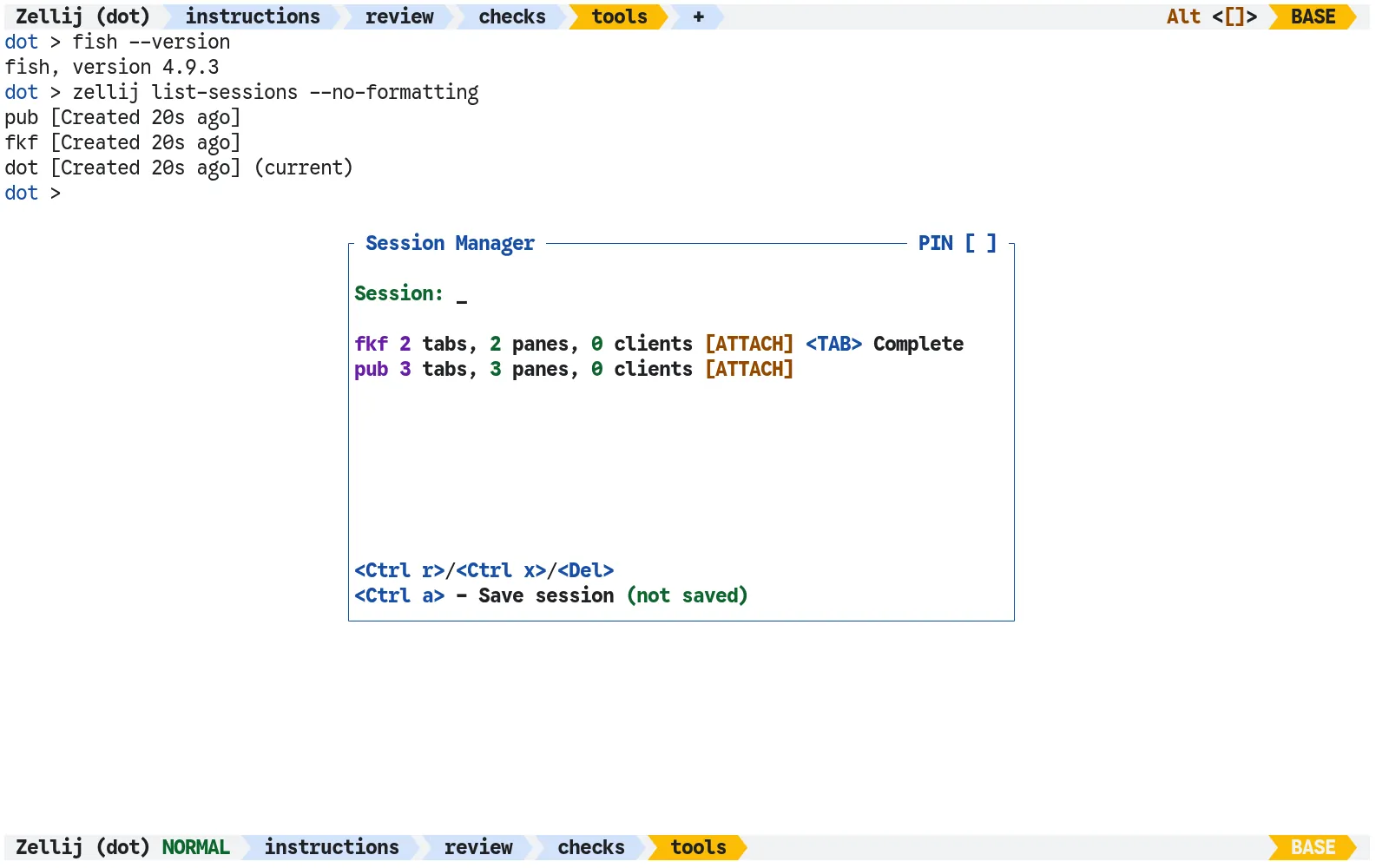
I can run Claude Code for one task, Codex for another, and Antigravity for a review. Completion notifications help bring me back when an agent finishes.
I am moving at lightning speed. Or at least at human speed.
The bottleneck remains my ability to review code. Agents can work on several tasks while I read the first diff, but they still make mistakes. Separate tabs organize my attention; separate checkouts or careful coordination are needed to prevent overlapping edits.
I use LazyGit to work through changes, Neovim to inspect and edit code, and gh-dash to find requested reviews, failing CI, and pull requests ready to merge. My
Alt+g shortcut opens LazyGit in a floating pane, so I can examine a diff without leaving the workspace.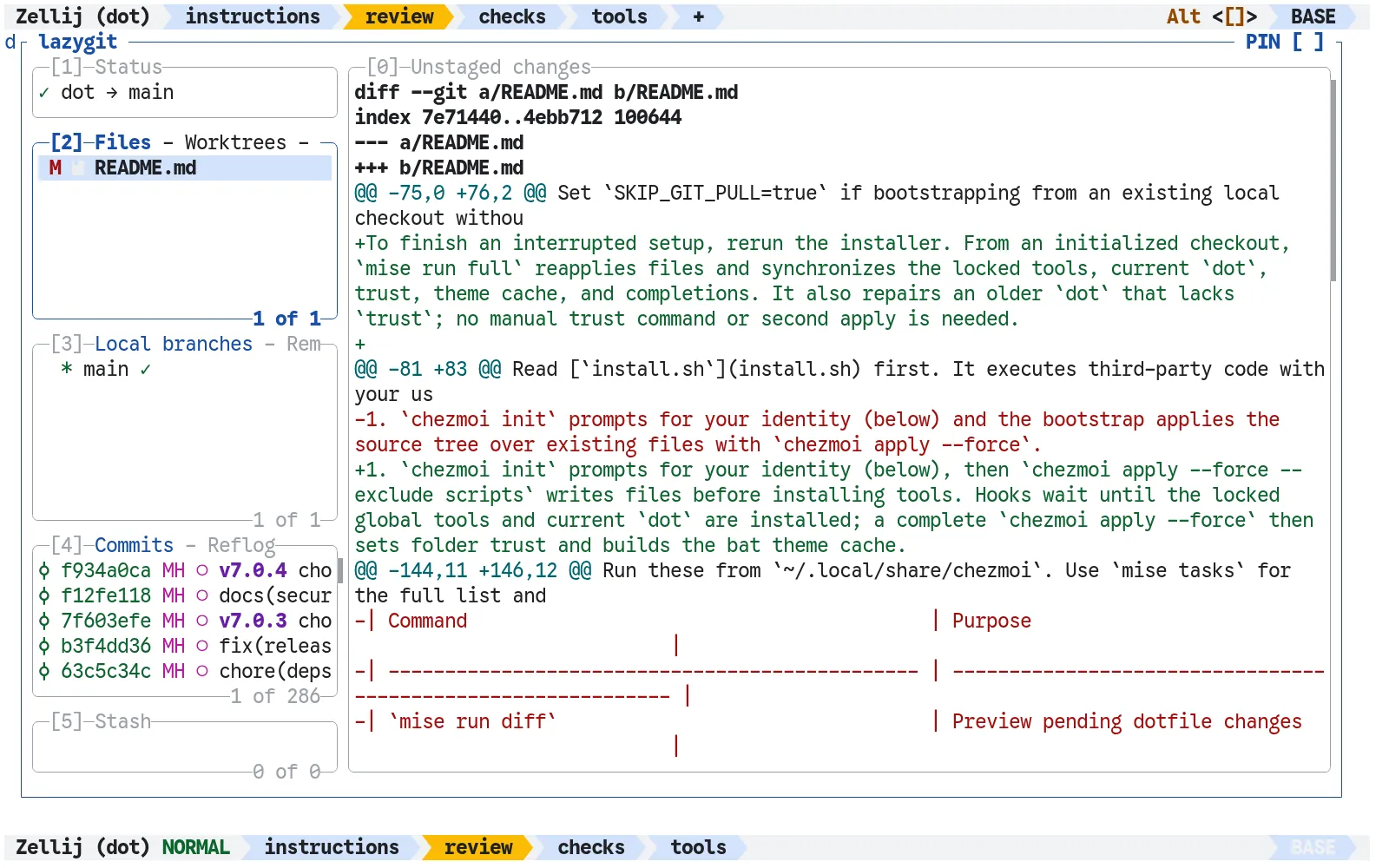
These tools help me reach the work that needs attention. They cannot give me unlimited attention. A wall of busy terminals is very impressive until every tab is waiting for the same human.
Keep control of what you can explain
That human responsibility also applies to the environment itself. An agent with shell access has considerable power, and a Markdown file cannot contain it.
AGENTS.md expresses instructions; permissions, credentials, isolation, and the agent host determine what execution can actually do.My dotfiles are personal, opinionated configuration. The installation documentation describes broad agent permissions and workspace trust. Inspect those choices before adopting them. The same access that lets an agent fix a configuration file can let it damage one.
If there is one project you should review, it is your dotfiles. They are the foundation beneath your other projects. Agents make that foundation easier to build and improve, and benefit from the improvements alongside you. All my work on it is open source: the complete layout, agent skills, and harness configurations are available in fmind/dot on GitHub.
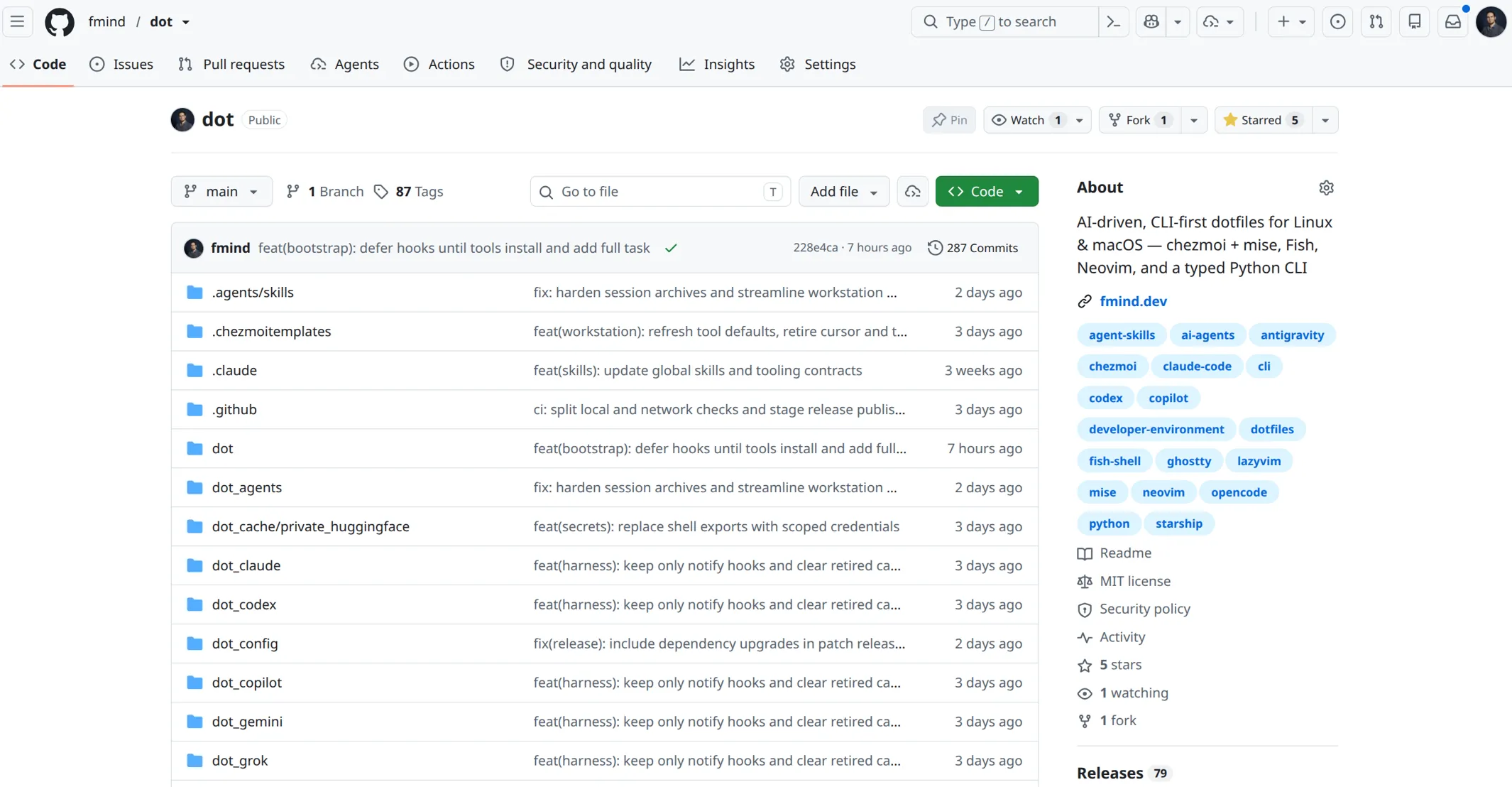
Start with one useful tool. Ask an agent to help configure it, inspect the change, and record how to use and check it in your project instructions or a relevant skill. Try it on the next task. Keep what helps.
Remember the ultimate rule of dotfiles: never use someone else’s as-is. If you do not understand the tools and configuration, you are not the master. You are the puppet.
Fork and adapt. That is the hacker way.
Now, go hack your dotfiles.
Dive in
Related
Video
Too much lock-in for too little gain: agent frameworks are a dead-end // Valliappa Lakshmanan // Agents in Production 2025
By Valliappa Lakshmanan • Jul 28th, 2025 • Views 119
Blog
Should You Use Graph-based Vector Database for Multimodal AI?
By Sonam Gupta • May 22nd, 2025 • Views 148
Video
Too much lock-in for too little gain: agent frameworks are a dead-end // Valliappa Lakshmanan // Agents in Production 2025
By Valliappa Lakshmanan • Jul 28th, 2025 • Views 119
Blog
Should You Use Graph-based Vector Database for Multimodal AI?
By Sonam Gupta • May 22nd, 2025 • Views 148